Feature / Data Safety

No Risk
Read-Only Mode

Connect Dream MRP to your accounts system, run the full MRP calculation, and see exactly what would happen — before a single purchase order is created. Zero risk. Full visibility.

Try it free How it works →
What it is

See everything.
Commit to nothing.

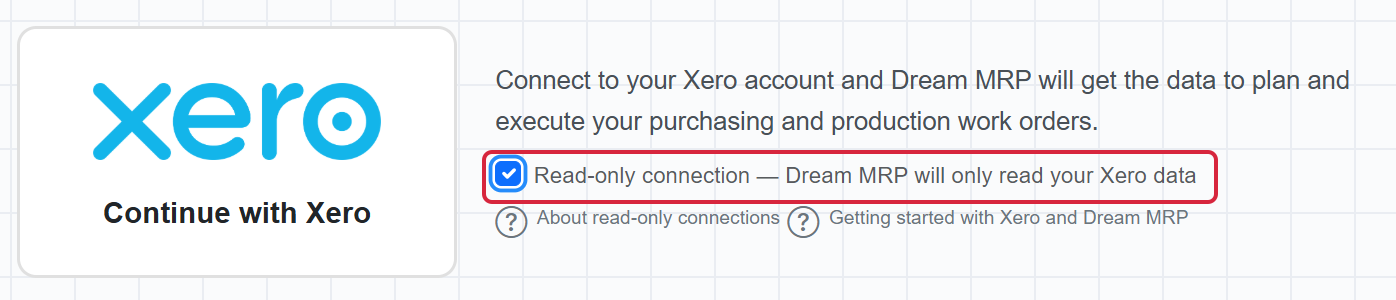
Read-Only mode is exactly what it sounds like. Dream MRP connects to your Xero or QuickBooks account, reads all your data, and runs the complete MRP calculation — but it does not write anything back. No purchase orders are created. No stock adjustments are posted. Nothing changes in your accounting system.

You get to see every recommendation, every planned order, every shortfall — and decide for yourself whether Dream MRP is giving you the right answers before you commit to going live.

in read-only / connect
Connect your accounts

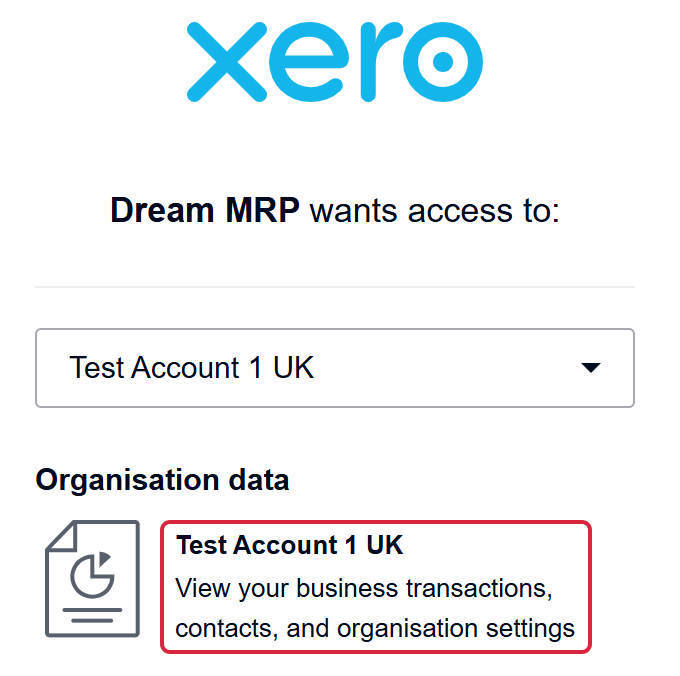
Authorise Dream MRP to read from your Xero or QuickBooks account. The OAuth connection is read-scoped — no write permissions required in this mode.

in read-only / run
Run the MRP calculation

Dream MRP calculates your full material requirements based on live inventory, open sales orders, and your Bills of Materials — all without touching your data.

in read-only / review
Review planned orders

See every planned purchase order and work order. Check quantities, suppliers, dates, and shortfalls. Verify the logic matches your expectations.

when ready / go live
Switch to live mode

When you're satisfied that Dream MRP is producing the right results, enable live mode. From that point, approved orders are posted to your accounts system.

Why it matters

MRP is only useful
if you trust it.

Every manufacturer runs their business differently. Lead times, safety stock, preferred suppliers, BOM structures — these vary enormously. Read-Only mode lets you verify that Dream MRP understands your business before you rely on it for real decisions.

It's also the fastest way to get up to speed. Most users connect, run their first calculation in Read-Only mode, and go live on the same day — because they can see immediately that the results are sensible.

What's safe in Read-Only mode
  • Connect to Xero or QuickBooks
  • Run full MRP calculations
  • View all planned purchase orders and work orders
  • Review shortfall analysis and demand breakdown
  • Import and manage Bills of Materials
  • Post purchase orders to Xero / QuickBooks (live mode only)
For careful teams

New tools deserve
careful evaluation.

We built Read-Only mode because we understand that connecting a new system to your live accounts feels significant. Your purchasing data and inventory records are the foundation of your business — and you shouldn't have to gamble on a new tool being right before you've seen it work.

Read-Only mode removes that risk entirely. Connect, explore, verify, and go live with confidence — on your schedule, at your pace. There's nothing to undo, nothing to unpick.

Read-Only mode is available on all plans, including the free 14-day trial. You don't need a credit card. You don't need to commit to anything before you've seen Dream MRP work with your real data.

Start with Read-Only mode

See the plan.
Then decide.

14-day free trial  ·  No credit card  ·  Read-Only mode included

Try Dream MRP free View pricing →